Best Buys › Temperature & Humidity Sensors
Temperature & Humidity Sensors
Cheap, small, and the foundation almost every climate automation is built on.
Best Buys › Temperature & Humidity Sensors
Cheap, small, and the foundation almost every climate automation is built on.
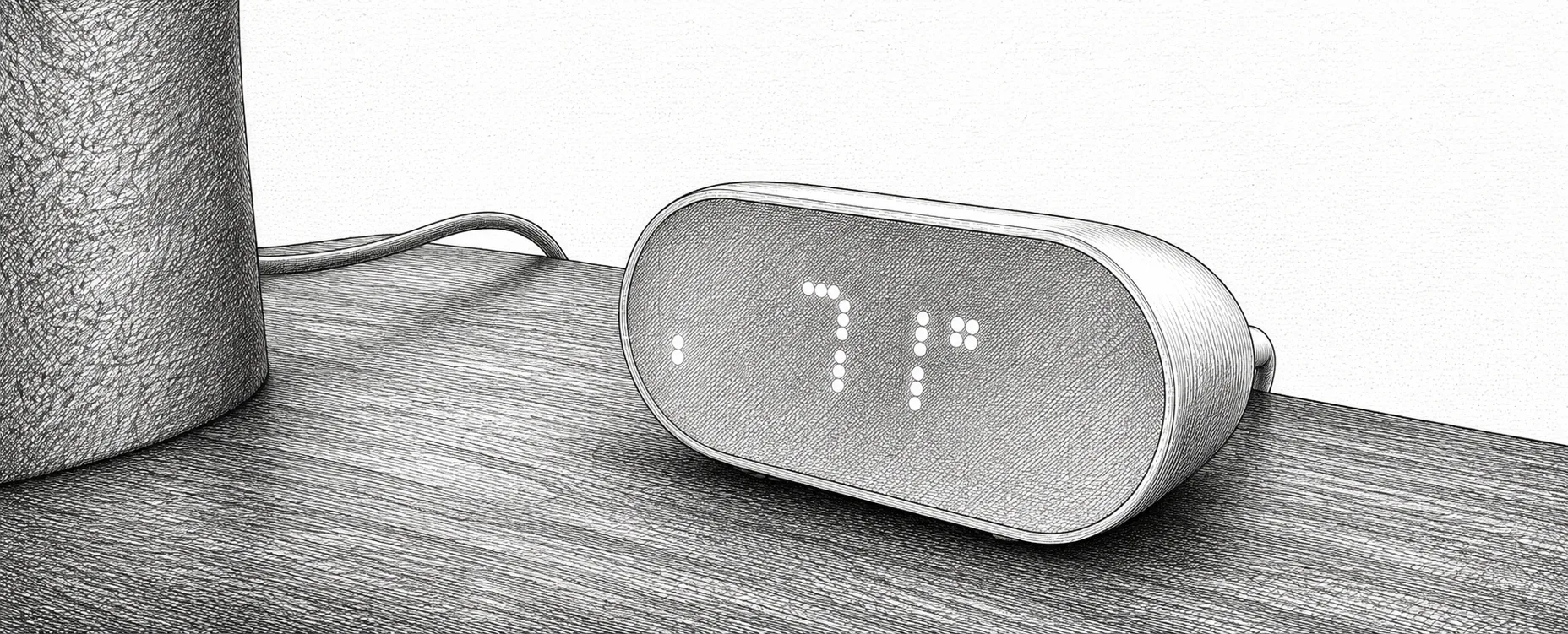
These are the least glamorous devices on the site and among the most useful. A thermostat measures one room; a handful of €20 sensors tell you what is actually happening in the bedroom, the bathroom, the loft and the garage — and that data is what turns a single thermostat into a house that heats intelligently.
Humidity matters as much as temperature. Below roughly 40% relative humidity, airways and wooden furniture dry out. Above roughly 60%, mould gets a foothold. Keeping a room inside that band is a straightforward automation, but only if you are measuring it. A bathroom sensor is also the most reliable extractor-fan trigger there is — far better than a timer, because it responds to an actual shower rather than a guess.
The choices are narrower than the number of products suggests. Screen or no screen, which radio, and how long the batteries last. A display is convenient but shortens battery life. Zigbee and Z-Wave are the reliable, long-life options; Bluetooth models are cheap but need a hub within range; Thread models are the future-facing pick and need a border router.
A display lets anyone in the room read the temperature without an app, which household members appreciate. It also consumes power continuously, which is why screenless sensors last two to five years and screened ones often manage one.
Look for the figure in the specification, usually written as ±0.3 °C or ±3% RH. Anything within ±0.5 °C is fine for comfort automation. Cheap sensors without a stated figure are often several degrees out, which quietly ruins any rule built on them.
Zigbee and Z-Wave give the best combination of range and battery life and join the mesh properly. Bluetooth models are cheapest but need a hub nearby. Thread is the newest and needs a border router, which most modern hubs provide.
A sensor using common AA or AAA cells is cheaper and easier to maintain than one needing a CR2477 you have to order online. Check which cell before buying a dozen.
How often the sensor transmits. Every five to ten minutes is plenty for climate control and preserves battery; a sensor set to report every ten seconds will be flat within months and adds nothing.
If it is going in a garage, greenhouse or outdoors, it needs an IP rating and a working range that includes sub-zero temperatures. Several otherwise good sensors cannot read below 0 °C at all.
| Brand | Model | Protocol | Display | Battery | Claimed life | Indicative price |
|---|---|---|---|---|---|---|
| Xiaomi | LYWSD03MMC | Bluetooth | Small LCD | CR2032 | 1 year | €10 |
| IKEA | TIMMERFLOTTE | Matter over Thread | LED matrix | 2 × AAA | 2 years | €10 |
| Sonoff | SNZB-02WD | Zigbee | LCD | CR2477 | 2 years | €18 |
| SwitchBot | Outdoor Meter | Bluetooth | Yes | 2 × AAA | 2 years | €20 |
| Nous | E6 | Zigbee | 2.7″ LCD | 2 × AAA | 1 year | €24 |
| ThirdReality | T&H Sensor | Zigbee | LCD | 2 × AAA | 1 year | €25 |
| Zooz | ZSE44 | Z-Wave | No | CR2450 | 1 year | €28 |
| Shelly | H&T Gen3 | Wi-Fi | E-ink | 4 × AA | 1 year | €30 |
| frient | Humidity Sensor | Zigbee | No | 2 × AA | 5 years | €34 |
| Aeotec | aërQ | Z-Wave | No | CR2477 | 2 years | €35 |
| Aqara | Climate Sensor W100 | Matter over Thread | 3.4″ LCD | 2 × CR2450 | 2 years | €40 |
| NodOn | STPH-4-1-00 | Zigbee | No | Solar + CR2032 | Indefinite | €50 |
Prices move constantly and vary by country, so we give an indicative band rather than a figure that would be stale within a month. Check the brand's own store for the current price.
If you are deploying sensors throughout a house and do not want to be changing batteries every winter, this is the one. Five years on two standard AA cells while still reporting every five minutes is the best maintenance-to-performance ratio here, and the stated accuracy is honest.
The name undersells it — it measures temperature as well as humidity. Two real limitations: it cannot read below freezing, so it is indoor-only, and it is physically large for what it does.
The best screened sensor here, and the buttons are the reason to pick it over cheaper rivals: three physical buttons that can fire up to nine different automations, on a device you were going to mount on the wall anyway. That makes it a climate display and a scene controller in one, which justifies the price in a hallway or living room.
A sensor you install once and never touch again: ambient light keeps it charged, with a CR2032 as backup for dark spells. Over a ten-year life it is cheaper than a €20 sensor whose batteries you replace annually.
One physical irony to design around — it needs light, but direct sunlight warms the housing and inflates the temperature reading. Somewhere bright but not sunlit is the answer.
The value pick for anywhere that is not a living room. IP65 means dust-tight and resistant to water jets, so it can hang in a greenhouse, garage or under a covered porch. The related SNZB-02LD uses an external probe on a lead, which is the correct way to monitor a fridge or freezer — the sensor stays outside while only the probe goes in.
The aërQ is the one that does the thinking for you. Alongside temperature and humidity it calculates dew point — the temperature at which air becomes saturated and condensation forms — and raises an explicit mould alarm when conditions favour growth. That is a far more actionable signal than a humidity percentage, particularly in bathrooms, cellars and behind furniture on cold external walls.
The precision pick. ±0.2 °C is genuinely good, and being able to set the reporting interval anywhere from one minute to eight hours lets you trade battery life against responsiveness deliberately rather than accepting a fixed default. Thin enough to tuck behind a picture frame.
The cheapest way to put Matter sensors in every room. Native Thread, no gateway, ordinary AAA batteries. The screen quirk is real — it shows temperature by default and only reveals humidity on a button press — but your automations read both regardless of what the display is doing.
The enthusiast’s cheap option. Out of the box it is Bluetooth, which limits range. Its real appeal is that the community has produced alternative firmware that converts it to Zigbee, with better battery life and a customisable display. That is a deliberate hobbyist project, not a supported path — but at this price, buying five and reflashing them is a genuinely popular approach.
Placement affects the reading more than the sensor’s accuracy specification does. Avoid direct sunlight, which can inflate a reading by several degrees. Keep sensors away from radiators, extractor grilles, televisions and anything else that produces heat. Do not mount them on an external wall, which runs colder than the room. And keep them roughly at seated head height rather than at floor or ceiling level, because that is the temperature people actually experience.
For a bathroom, mount the sensor near the shower but not inside the spray, and expect it to spike to 90% and recover slowly — that recovery curve is what makes it a better fan trigger than a timer. For a bedroom, add CO2 if you can: carbon dioxide above roughly 1000 ppm (parts per million) measurably worsens sleep quality, and it climbs overnight in a closed room.
Roughly 40 to 60% relative humidity. Below 40% dries out airways, skin and wooden furniture. Above 60% gives mould the conditions it needs. Running a humidifier or dehumidifier against a band rather than a single target, with a gap in the middle, stops the two fighting each other.
Only where people will look at it. A screen is convenient in a living room or hallway and lets housemates check the temperature without an app, but it consumes power continuously — screened sensors typically last a year against two to five years for screenless ones. In a loft or cupboard, a display is pointless.
It is how far the reading may differ from reality, written as something like ±0.3 °C. Do not confuse it with resolution, which is only the smallest step the sensor reports. A device showing 21.4 °C to one decimal place may still be a full degree out if its accuracy is ±1 °C.
Only models with an IP rating and a working range that goes below freezing. The Sonoff SNZB-02WD and SwitchBot Outdoor Meter are both IP65 and rated to −20 °C. Several otherwise good indoor sensors cannot read below 0 °C at all, and alkaline batteries lose capacity sharply in the cold — use lithium cells outdoors.
Dew point is the temperature at which air becomes saturated and water starts condensing on surfaces. It is a better predictor of damp and mould than humidity alone, because it accounts for temperature too. A sensor that reports it — the Aeotec aërQ does — can warn you about condensation risk on a cold wall before mould appears.
More terms in the smart home glossary.